
Bajgora Civiele Techniek: from Word invoices to a phone-first operations system.
Civil-engineering subcontractor, Netherlands · in daily use since September 2026
A civil-engineering subcontractor in the Netherlands: grout pumping, bearing grouting on bridges and viaducts, wear layers and coatings, and concrete repair, working for main contractors. A small, owner-led company where the office is a phone.
The owner shaped the system the way a client should: by using it and saying what he wanted changed. bajgora.tech
Before
- Invoices written in Word, the numbering kept by hand.
- Past invoices in a paper archive.
- Supplier price lists on paper and in PDFs.
- The werkbon comes from the client, and the invoice has to match it.
How it came together
One conversation about how invoices, werkbonnen and materials really move, and the questions that turned it into a plan.
The brand and the screens chosen by the owner on review pages, not in e-mail threads.
In daily use: the system on the company's own domain, the Android app on his phone, the assistant in Telegram.
The old invoice archive, the suppliers' price lists, an overview of revenue and open invoices, and a company website whose contact form writes straight into the system.
How it works, day to day
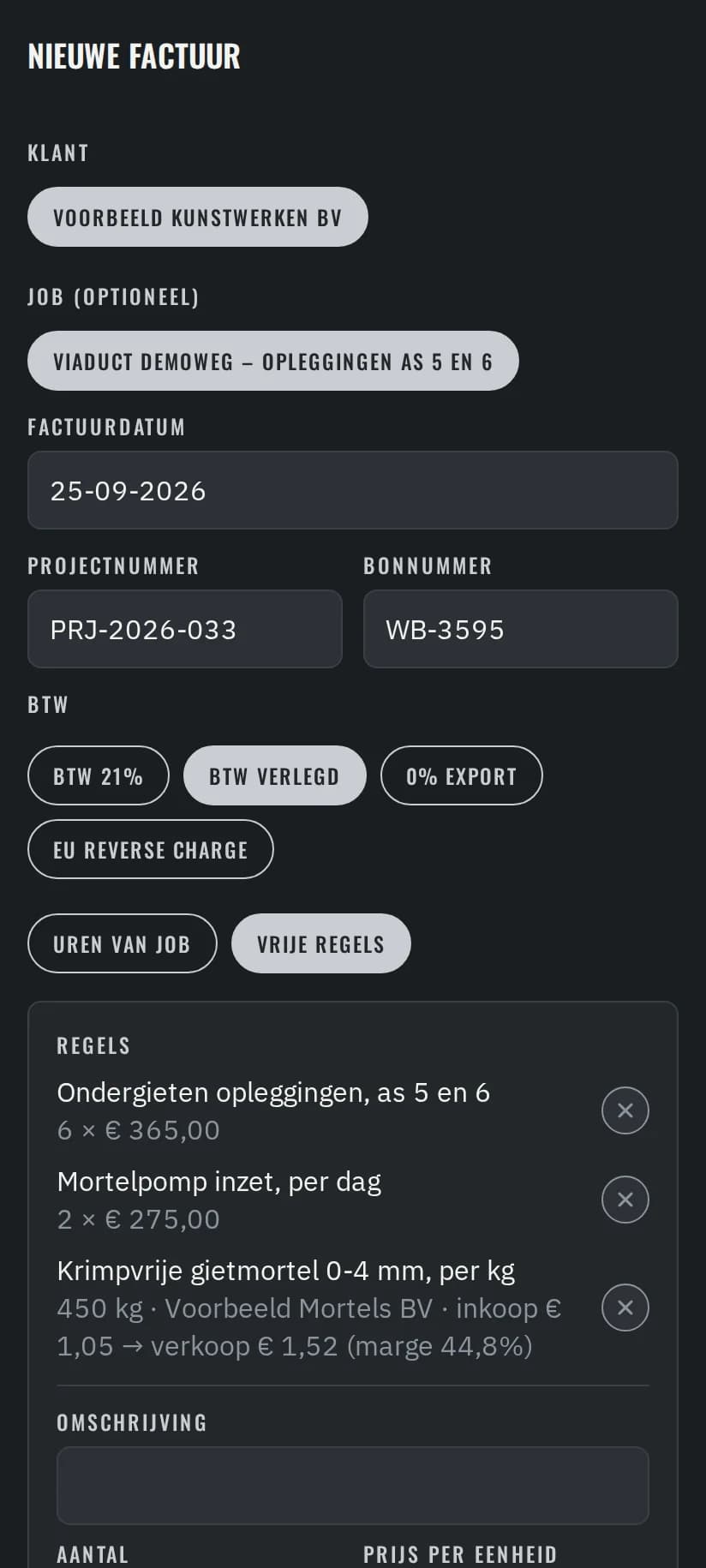
An invoice that matches the werkbon
- 1
The client's project number and werkbon number sit on the invoice, so it matches the bon it answers.
- 2
With reverse-charge VAT (btw verlegd), the client's VAT number is printed instead of a VAT amount.
- 3
Material comes from the suppliers' price lists; each line shows purchase price, sale price and margin.
In Telegram, the owner asks the assistant for an invoice PDF, a client or a figure. It answers from the same records, and asks “klopt?” before it changes anything.
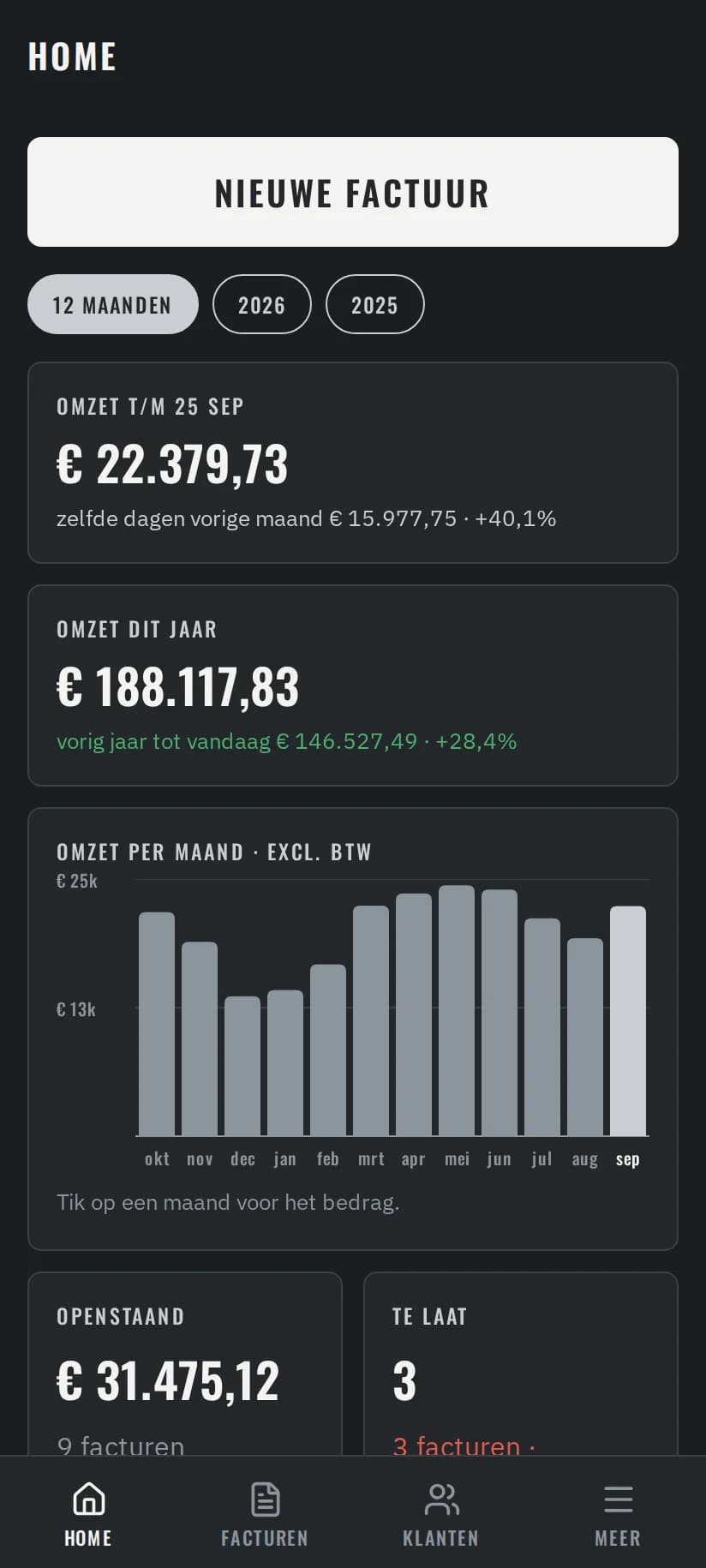
The overview first
Revenue per month and what is open or late, before the first question of the day.
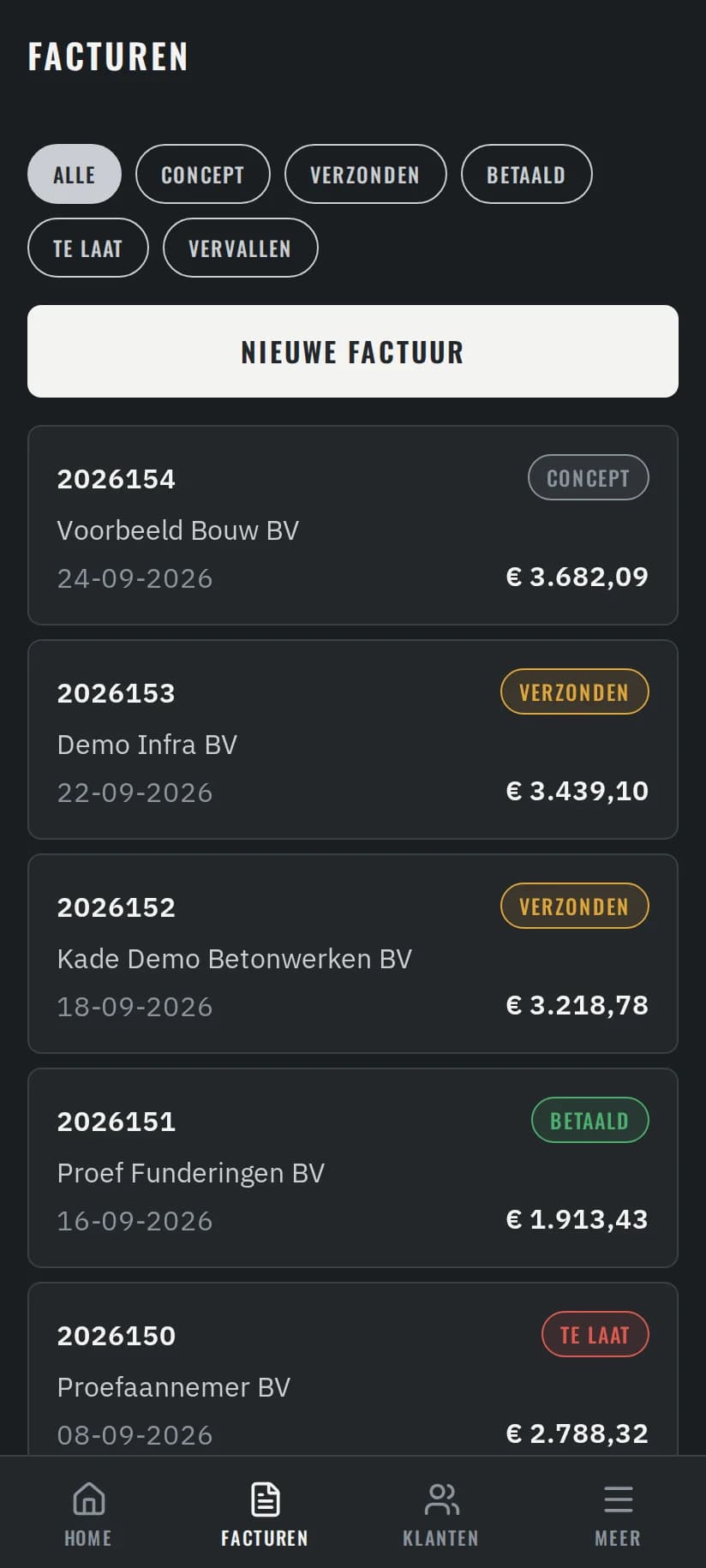
Every invoice, with its status
Drafts, sent, paid and late in one list; the PDF is ready for the client and the accountant.
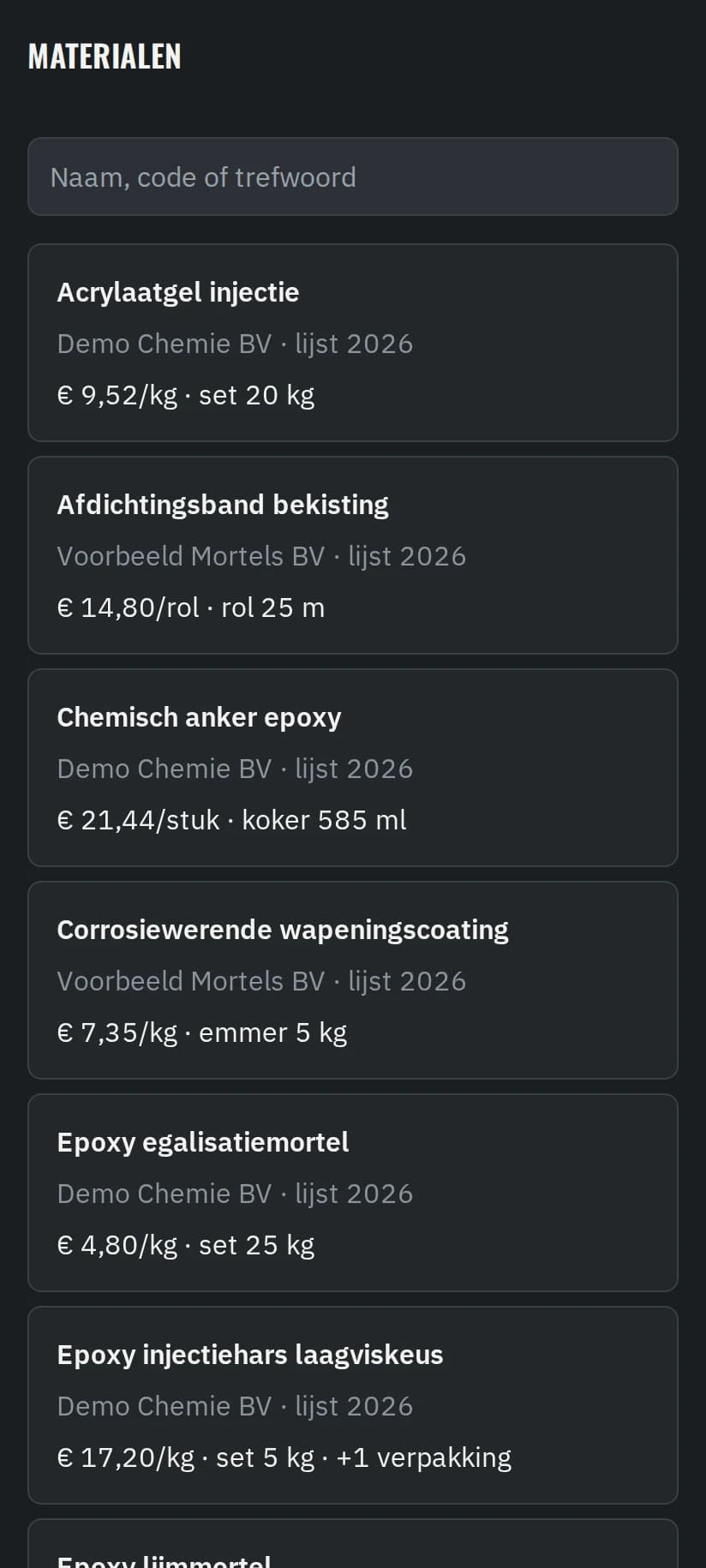
Materials from the price lists
Every material from the suppliers' price lists, searchable on the phone.
All screens show demo data: invented clients, amounts and materials. The company's own records stay private.
How we worked
- A live progress page for the client, updated after every step.
- Choices made on review pages, not in e-mail threads: pick, comment, submit.
- Wishes and small faults go to the assistant, which files them for us.
Not done yet
As of 7 October 2026
- Sending invoices by e-mail from the system waits on the company's mailbox move.
- Reading the client's werkbon PDF straight into a draft invoice is the next build.
- Project locations, with a reminder when the crew arrives on site, are in build.
Technical shape
- PostgreSQL and a typed API
- An Android app (Expo) with over-the-air updates
- An assistant with a scoped tool set: it can only do what the app's API allows
- An automated test suite
- Hosted in the EU
The pattern
A field business where the office is a phone. The same shape fits installers, flooring crews and small manufacturers: work on site, materials per project, and a werkbon that has to become an invoice.
Voor bouw, installatie en productie (NL)